
Overview

Clarity
Mastery
Craftsmanship
What families can expect
Visibility: term plans and exemplars are published; classroom routines are posted and referenced.
Consistency: the six‑step lesson arc, retrieval checks, and small‑group clinics run in every section.
Timely help: quick checks trigger same‑day reteaching; secure learners move to research clinics and design sprints.
Learning built for mastery (the Montclair Lesson Arc)
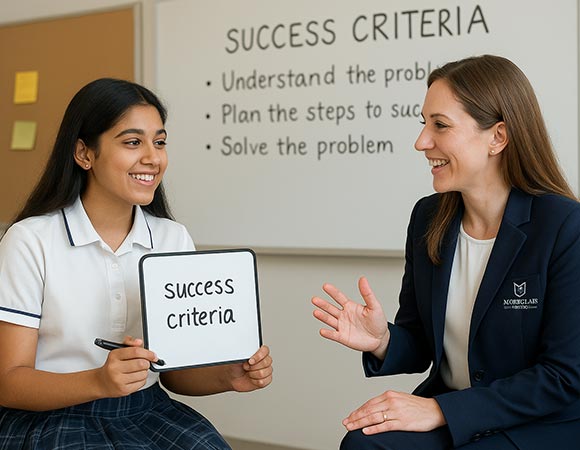
Every lesson follows a predictable arc — Activate → Explain → Model → Practise → Check → Extend — so ideas move from first exposure to reliable performance. Students see exemplars, practise deliberately, and receive precise feedback; families see plans and benchmarks that make progress visible.
- Activate
two‑minute retrieval + a hinge question; success criteria go up front. - Explain
short, plain‑language teaching with a worked and a non‑example. - Model
teacher narrates expert moves (e.g., where to check a unit; how to frame a paragraph; how to read a scale in a lab). - Practise
guided → independent; spacing and interleaving across weeks. - Check
rapid scans (mini‑boards, exit tickets); reteach swiftly where thresholds aren’t met. - Extend
application and enrichment: publish in the Library/Forum 208; prototype in labs & studios; short films in Pixel Forge.
How a week flows (Middle School example)
- Mon/Tue — explain & model new content; scaffolded practice; short investigation (lab demo or source analysis).
- Wed — retrieval quiz; reteach below‑threshold items; independent practice for fluency.
- Thu — application: mini‑project (data display, prototype sketch, response paragraph).
- Fri — exit ticket & reflection; plan next week’s clinics and enrichment paths.
Academic pathways by stage (what this means for your child)
Early Years (Pre‑Primary) — play to practice
Children explore language and early numeracy through guided play, songs, and movement, with calm routines that build confidence. Role‑play and outdoor discovery turn curiosity into early speaking, listening, and number sense.
Primary (I–V) — concept‑first & literacies
Reading, writing, and maths grow through clear examples, guided practice, and short investigations. Students learn to present simple findings—charts, maps, and brief reports—so thinking becomes visible at home.
Middle (VI–VIII) — specialism with confidence
Subject specialists deepen understanding in labs and studios. Students learn study skills and how to defend a conclusion with data or sources, supported by research time in the Library.
Secondary & Senior — depth, writing, futures
Older students write from exemplars, build capstones, and present work publicly. Guidance supports course choices and applications without hype; essays, prototypes, and showreels provide evidence of quality.
Signature programmes & moments
These recurring programs keep the experience coherent across years while allowing students to shine in age-appropriate ways.
Reading Ladders
steady stamina growth with quick book talks; families see just‑right lists and simple prompts.
Research Bootcamp (Senior)
question → sources → ethical notes → outline → citation check; students leave with a plan that stands up to questions.
Prototype‑to‑Pitch (Venture Studio)
problem → prototype → feedback → two‑minute pitch with a working demo.
Pixel Forge Showreels
Short, ethical films and explainers screened in Forum 208 with credit and consent.
Digital Citizenship
source/cite/share, privacy & consent, and healthy tech habits taught in context.
Support & extension — how help arrives without labels
Decisions are driven by evidence from the lesson, not labels. If a concept slips, same‑day clinics reteach the sticky step while it’s fresh. When secure, students choose extension routes: a Library research clinic, a robotics task in CodeForge/AI & Robotics, a design sprint in the Venture Studio, or a short explainer produced in Pixel Forge.
Assessment & reporting calendar (sample rhythm)
- Weekly — retrieval checks and exit tickets guide small‑group help and extensions.
- Mid‑term — focused mastery tasks with exemplars; short notes to families on next steps.
- Term end — moderated benchmarks; student reflection (what changed and why); reports emphasise next steps over raw scores.
Public examinations, when active, run through our Examination Centre with calm, consistent routines and clear candidate journeys.
Family partnership & communication
Start‑of‑term outlines with exemplars and how to help at home.
Invites to reteach clinics, enrichment sessions, and showcases.
Ask‑a‑Librarian and Mentor contact channels for quick support.
What student work looks like
Expect to see: annotated examples with criteria, mini‑board snapshots from hinge questions, lab graphs with short claim‑and‑evidence notes, prototype logs and retest clips, research outlines with citation plans, and edit timelines from Pixel Forge.
Where learning happens
- Atria Library
Reading stamina, research clinics, and citation integrity. - Science Labs
Physics, Chemistry, Biology; Composite Science for practical confidence. - Innovation, STEM & Computing
Venture Studio, AI & Robotics, STEM Activity Bay, CodeForge, Engine Room. - Creative Media
Pixel Forge (film/photo) and a Multimedia/Recording room for AV and podcasts. - Language & Subject Labs
English, Mathematics, Social Science, Technology.
Examinations — fair, calm, useful
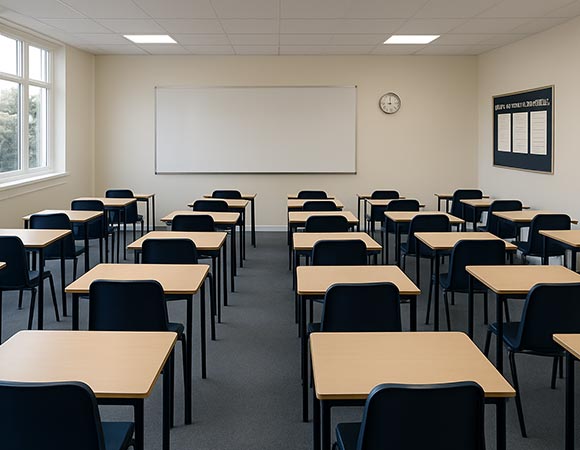
When school or public exams run, the whole campus shifts to a calm ‘exam mode’. Seating plans and scripted starts ensure fair conditions; accommodations (reader/scribe or extra time) are scheduled in advance for eligible individuals. Behind the scenes, a staffed Control Room coordinates seating plans, attendance, secure storage, and live oversight.
- Before — readiness lessons, wellbeing routines, seat‑plan at entry, belongings protocol, clocks visible.
- During — scripted instructions, quiet corridors, on‑call assistance, and clear finish‑time boards.
- After — secure hand‑off, quick analysis, and small next‑step plans for each learner.
Quick definitions parents often ask about
- Science Labs vs Technology & STEM — Science investigates the natural world; Technology/AI & Robotics focuses on computing, sensors, and control; the STEM Activity Bay connects ideas with approachable builds.
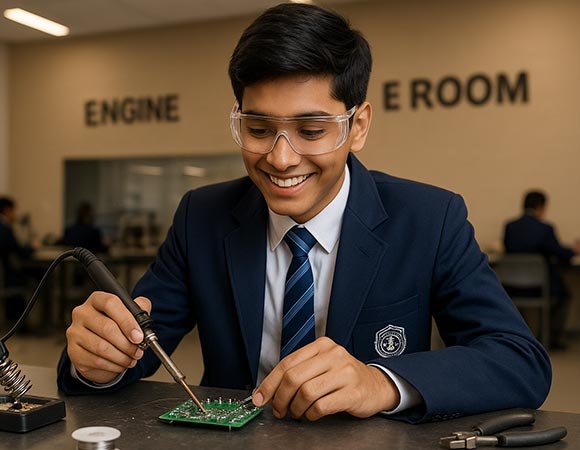
- Venture Studio vs Engine Room — Venture Studio turns needs into prototypes and pitches; Engine Room is where mechanisms and reliability are engineered and tested.
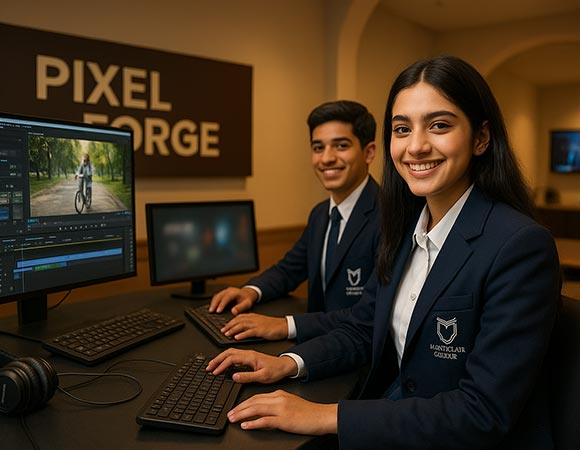
- Pixel Forge vs Multimedia Room — Pixel Forge is for film and photography craft; the Multimedia Room focuses on podcasting/voice and audio editing.
Explore the details
Methodology & Learning
How the lesson arc and classroom craft work day‑to‑day.
Curriculum
Stage‑wise overview and discipline strands, with sample units and outputs.
Library
Research clinics, reading culture, and family after‑school access (with parent coworking).
Technology
CodeForge foundations, AI & Robotics, Engine Room, Pixel Forge, Venture Studio.
Labs & Studios
Science and subject labs; creative media; safety routines; student showreels.
Faculty
Coaching, co‑planning, and consistent routines; Meet‑a‑Mentor directory.